suspend a cPanel Account
1. Log in to WHM
Enter your WHM root or reseller credentials and click Log in.
2. Go to Manage Account Suspension
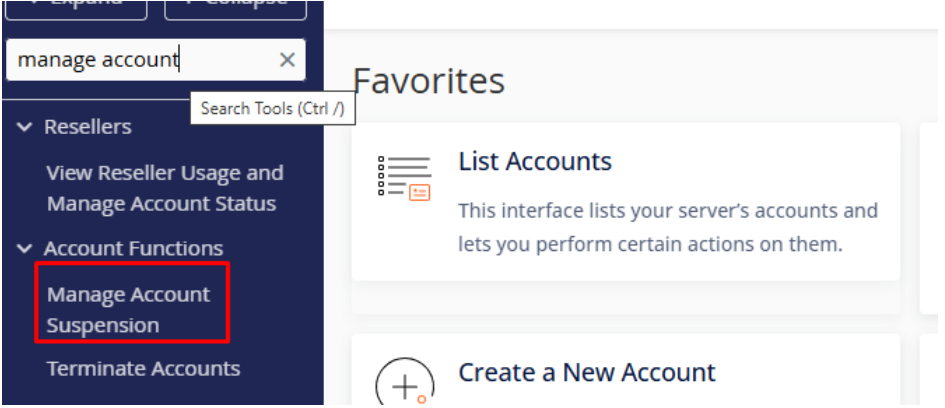
In the WHM search bar, type Manage Account Suspension.
Click on it from the search results.
3. Select the cPanel Account
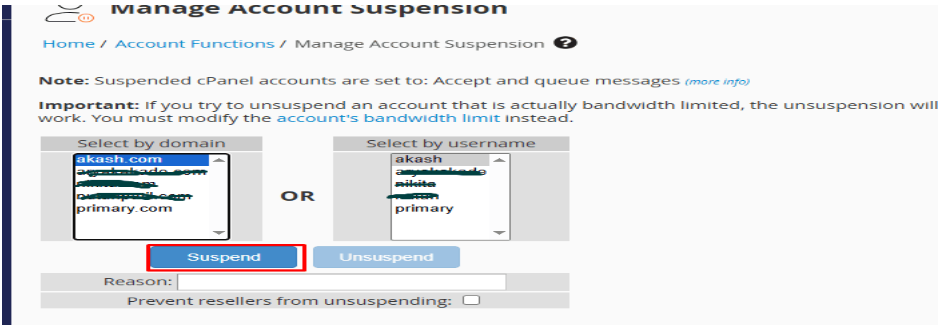
Find the account by domain name or username.
4. Enter a Suspension Reason (Optional)
You may enter a reason for suspension—this will be saved in the system for future reference.
5. Click “Suspend”
WHM will disable the account, and the user will see a suspension notice when trying to access cPanel or their website.
Unsuspend a cPanel Account
1. Follow Steps 1-3 Above
Log in to WHM and navigate to Manage Account Suspension.
2. Select the Suspended Account
Find the account marked as Suspended.
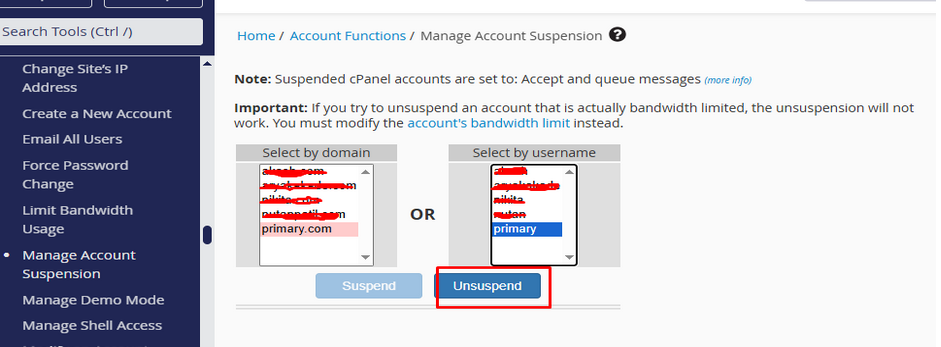
3. Click “Unsuspend”
The account will be restored, and the website will be accessible again.