
1) Login to your cPanel:
Usually found at: yourdomain.com/cpanel.
Enter your username and password provided by your hosting provider.
2) Find the “Databases” Section:
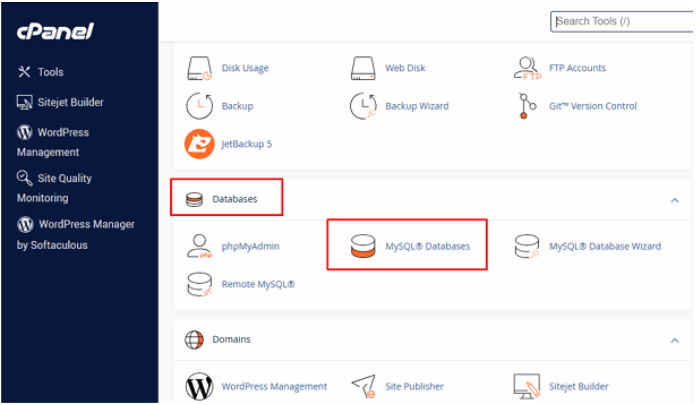
Look for MySQL® Databases and click it.
3) Create a New Database:
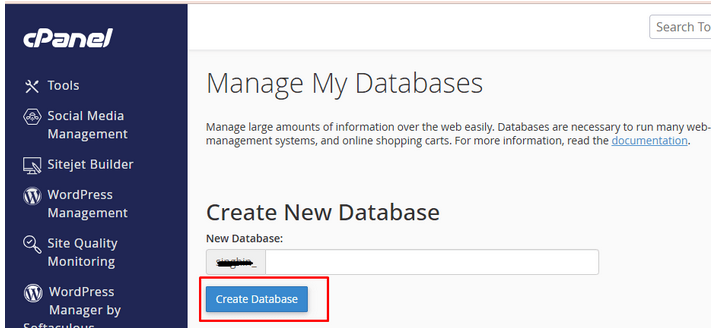
Under Create New Database, type a name for your database (e.g., mydb).
Click Create Database.
You’ll see a confirmation message. Click Go Back.
4) Create a Database User:
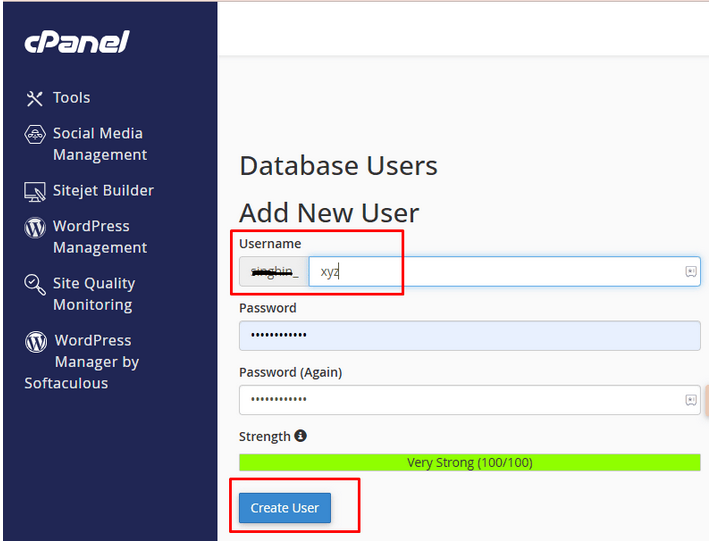
Scroll down to MySQL Users > Add New User.
Enter a username and password (use the password generator if needed).
Click Create User.
5) Add User to the Database:
Scroll to Add User to Database.
Choose the user and the database you just created from the dropdowns.
Click Add.
On the next screen, check “All Privileges” to give the user full access.
Click Make Changes.
6) ✅ Done!
Your database is now ready to be used with your web app or CMS like WordPress, Joomla, etc.