
1. Log in to cPanel:
Visit http://yourdomain.com/cpanel or use your hosting provider’s cPanel login page.
Enter your username and password.
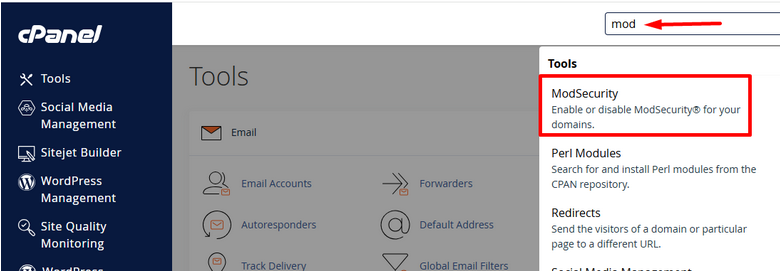
2. Locate the “ModSecurity” Section:
In the cPanel dashboard, scroll down to the “Security” section.
Click on “ModSecurity”.
3. Enable ModSecurity for Your Domains:
You’ll see a list of your domains.
There will be a toggle switch or button next to each domain (e.g., “On”/“Off”).
Click “Enable” or switch to “On” for the domain(s) you want to protect.
4. Some hosts also allow you to enable it globally for all domains via an “Enable All” button.
5. Confirmation:
You’ll see a confirmation message like “ModSecurity is now enabled” once it’s activated.
You can return to this screen at any time to disable or re-enable it ifneeded.
Optional: Check ModSecurity Logs
Some cPanel setups provide access to ModSecurity logs so you can review blocked requests.
This may be found under:
- Metrics → Errors
- Or Raw Access Logs if logs are not separated.