

1. Log in to WHM:
Enter your WHM credentials and click Log in.
2. Access the Account List:
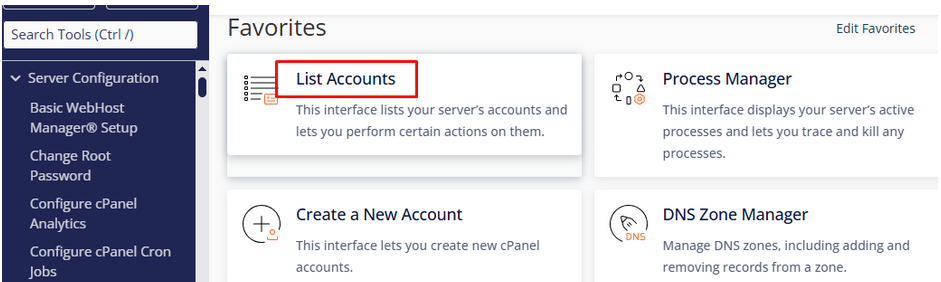
In the WHM dashboard, search for and click on List Accounts.
3. Find the Account:
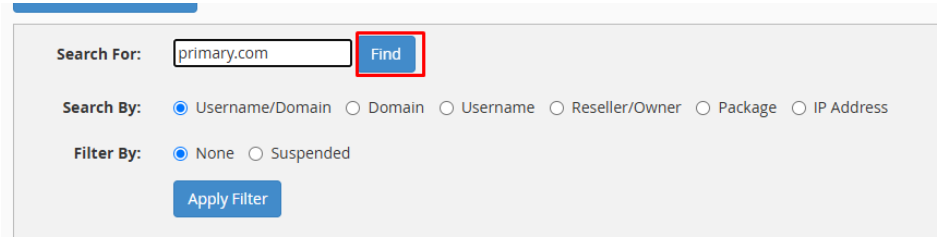
In the Search tab, enter the domain name or username of the account you want to modify.
Click Find.
4. Modify the Account:
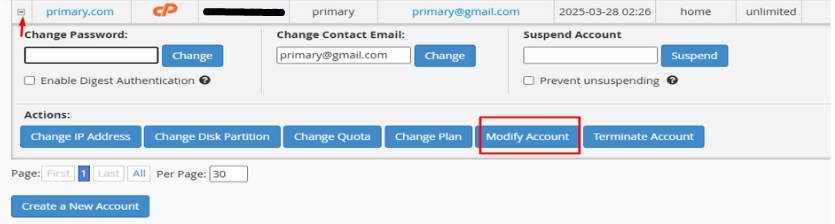
Click the + icon next to the account, then click on Modify Account.
5. Update Resource Limits:
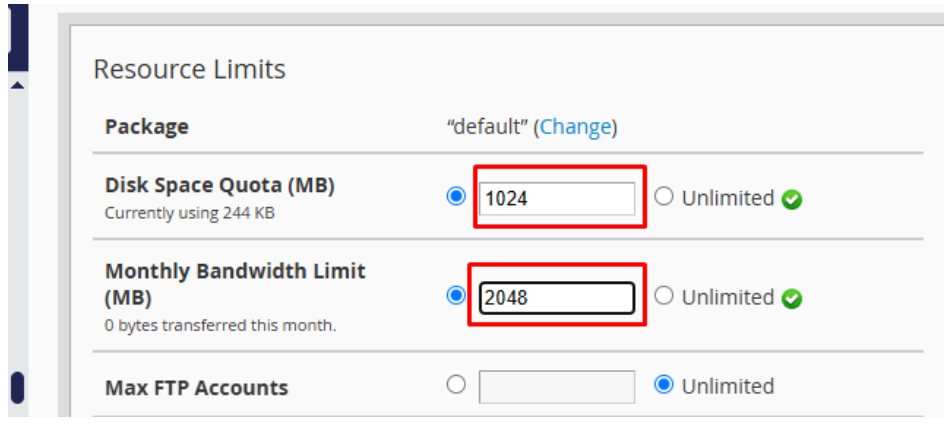
Scroll down to the Resource Limits section.
Here, you can update the Disk Space Quota and Bandwidth Limit as needed.
6. Save Changes:
Once you’ve entered the desired limits, scroll to the bottom and click Save or Update to apply the changes.