
1. Log in to WHM:
Enter your root username & password and log in.
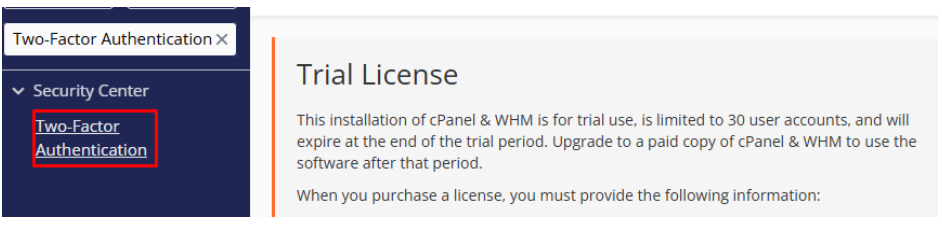
2. Open the Two-Factor Authentication Module:
In the WHM search bar, type “Two-Factor Authentication”.
Click on Two-Factor Authentication from the results.
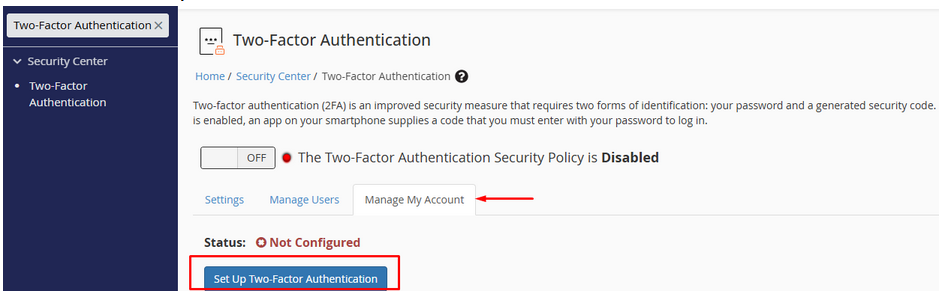
3. Enable 2FA for WHM:
Click on “Manage My Account”.
Click Set Up Two-Factor Authentication.
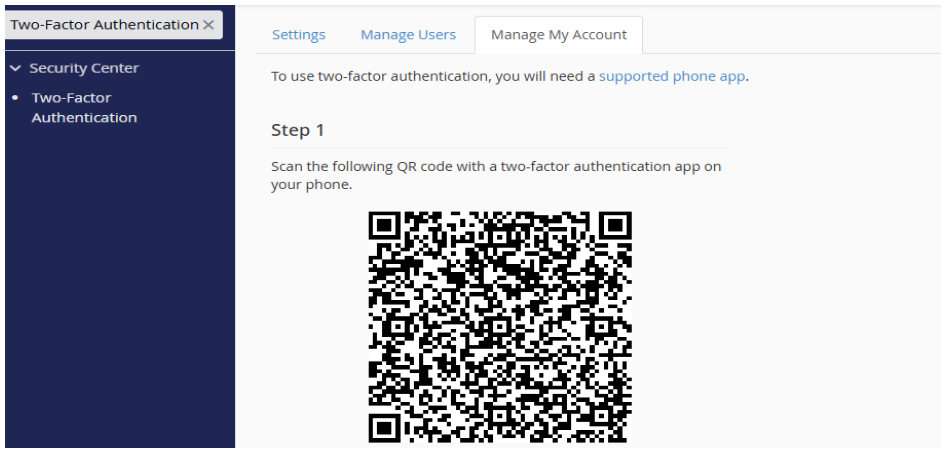
4. Scan the QR Code with Google Authenticator:
Open Google Authenticator (or any 2FA app like Authy) on your phone.
Tap “+” (Add Account) → Scan QR Code.
Scan the QR code displayed in WHM.
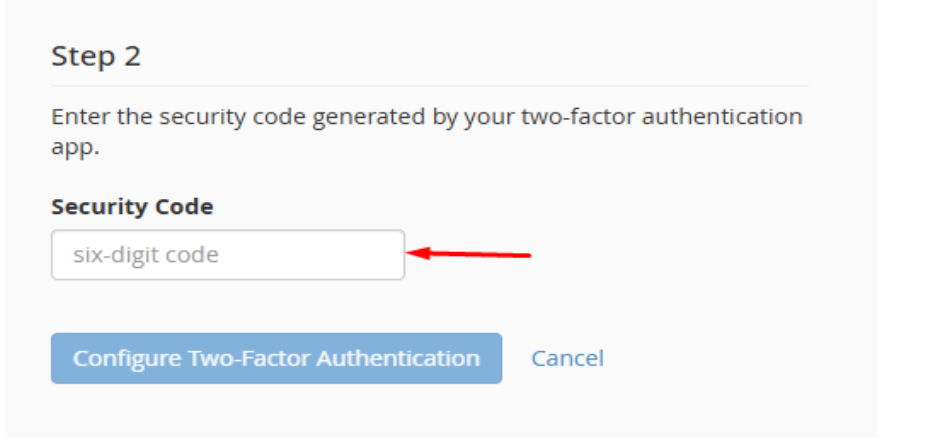
5. Enter the Verification Code:
In WHM, enter the 6-digit code generated by Google Authenticator.
Click Configure Two-Factor Authentication.
6. Enable 2FA for WHM:
Click Set Up Two-Factor Authentication.
Click on ON/OFF.
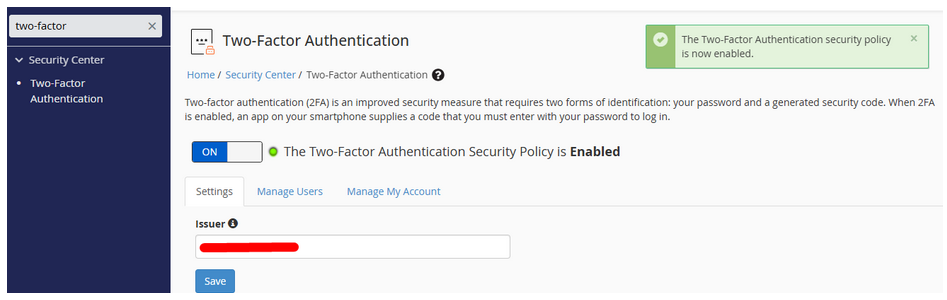
Two-factor authentication (2FA) is an improved security measure that requires two forms of identification: your password and a generated security code. When 2FA is enabled, an app on your smartphone supplies a code that you must enter with your password to log in.