
1. Go to your cPanel login URL:
Typically: https://yourdomain.com/cpanel or https://yourserverip:2083.
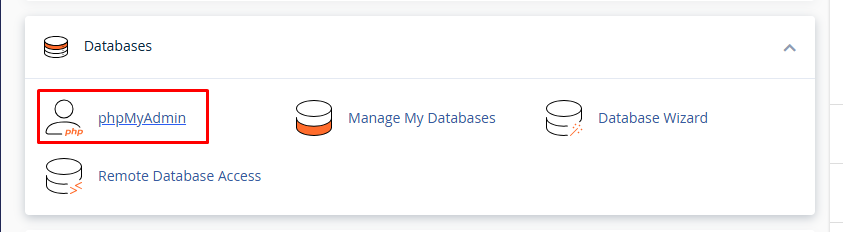
2. Search phpMyAdmin in database:
The PhpMyAdmin is a free web application that provides a convenient GUI for working with the MySQL database management system. It is the most popular MySQL administration tool.
You can take backup of your databases through this tool.
You need to follow the below steps:
Login to you PHPMyAdmin application. (You can find it under your hosting control pane like cPanel, Plesk, Direct Admin).
3. Select the Database:
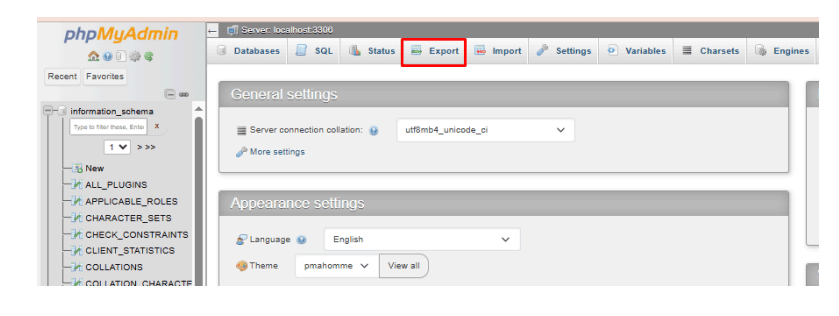
Select the database from left hand side of you PHPMyAdmin window and click on “Export”.
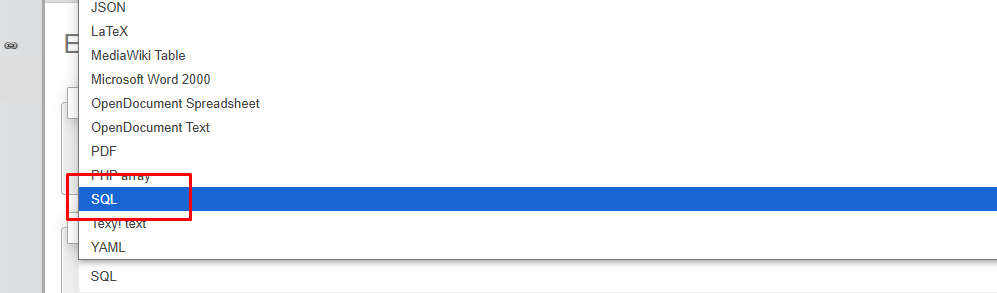
4. Select Format:
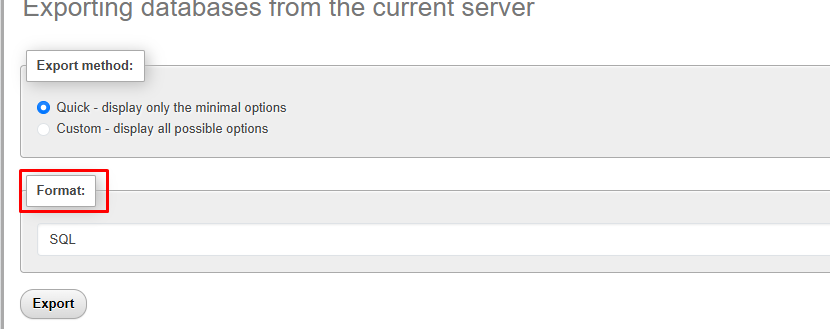
Choose Export Method:
- Quick – display only the minimal options: Fast and good for most cases.
- Custom – display all possible options: Gives you more control (e.g., select specific tables, add
DROP TABLEstatements, choose output formats, etc.).
Make sure the format for database backup should be SQL and click on “Go” button.
Note: The backup file is auto generated and downloads to your local computer in .sql format.
- Compressed Backup: In Custom mode, you can choose compression (e.g., zip or gzip) for smaller file sizes.
- Scheduled Backups: If you need regular backups, consider automating the process using a script or a server cron job.
- Restore Later: To restore, just go to the Import tab in phpMyAdmin, select the .sql file, and click Go.