1. Log in to your cPanel:
Use your username and password provided by your hosting com
yourdomainname.com/cpanel
or yourdomain.com:2083
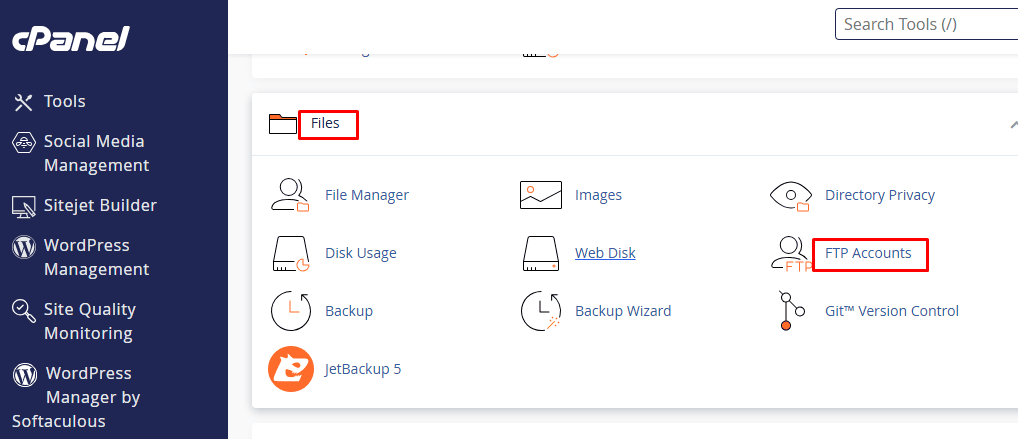
2. Navigate to FTP Accounts:
Click on “FTP Accounts”..
Scroll down to the “Files” section.
3. Enter FTP Account Details:
● Username: Enter a desired username (e.g., ftpuser).
● Domain: Choose the correct domain from the dropdown if you have multiple domains.
● Password: Create a strong password or use the Password Generator.
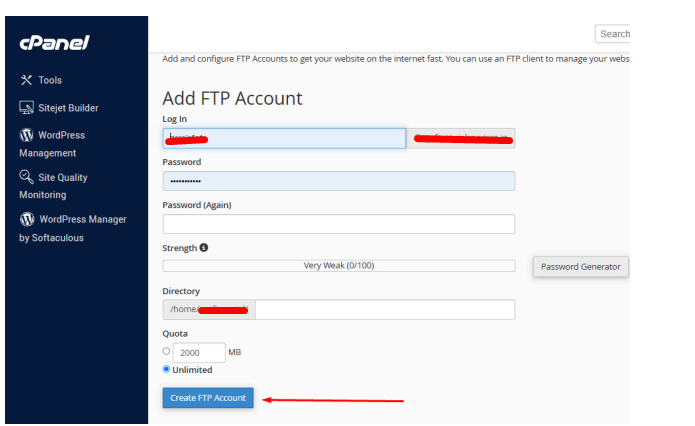
4. Click on “Create FTP Account:
Once all details are filled, click the “Create FTP Account” button.
5. How to Connect to FTP:
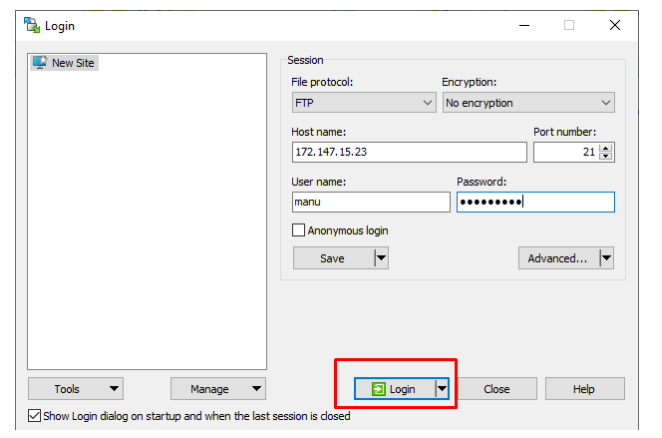
Use an FTP client like FileZilla or WinSCP with these details:
- Port: usually 21 for FTP
- FTP Host: yourdomain.com or IP address
- Username: your full FTP username (e.g. yourdomain.com)
- Password: the one you just created