
To find out what the default nameservers are for your server.
1. Log in to WHM:
Go to yourdomain.com:2087 or yourserverip:2087 to access the WHM login page.
Log in using your root or reseller credentials.
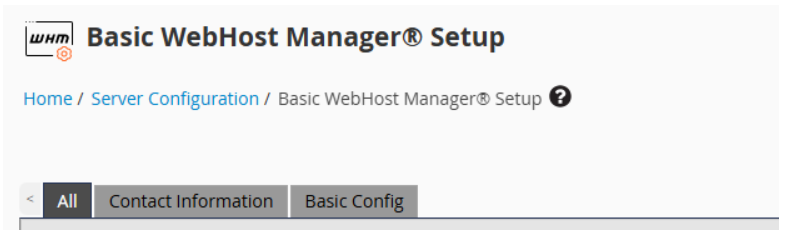
2. Navigate to the “Basic WebHost Manager Setup” Section:
In the WHM dashboard, search for “Basic WebHost Manager Setup” in the search bar or go to Home > Server Configuration > Basic WebHost Manager Setup.
3. View Default NameServers:
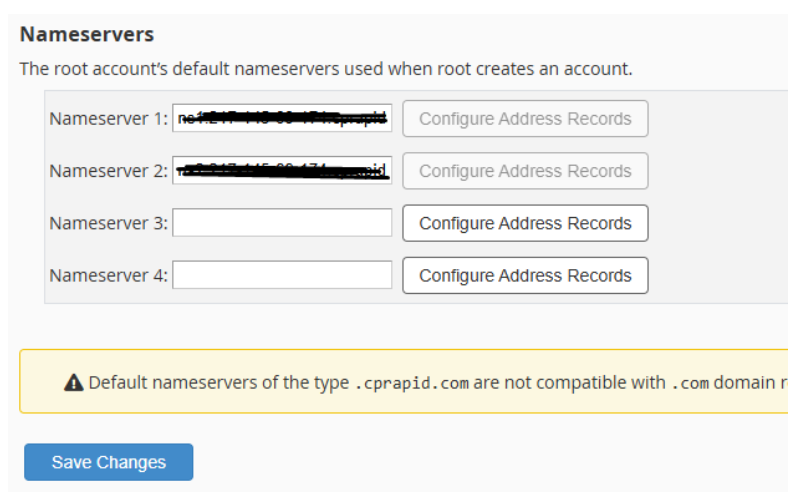
In the Basic WebHost Manager Setup page, you will find a section called Nameserver Information.
Here, you can see the Primary Nameserver and Secondary Nameserver These are the default nameservers set for the server. You can modify these if needed (e.g., if you’re using custom nameservers).
4. Modify Nameservers (if needed):
If you need to change the default nameservers, you can enter new nameservers in the Nameserver 1 and Nameserver 2 fields and click Save Changes.