
1. Log in to cPanel:
Access your domain’s cPanel, usually at yourdomain.com/cpanel.
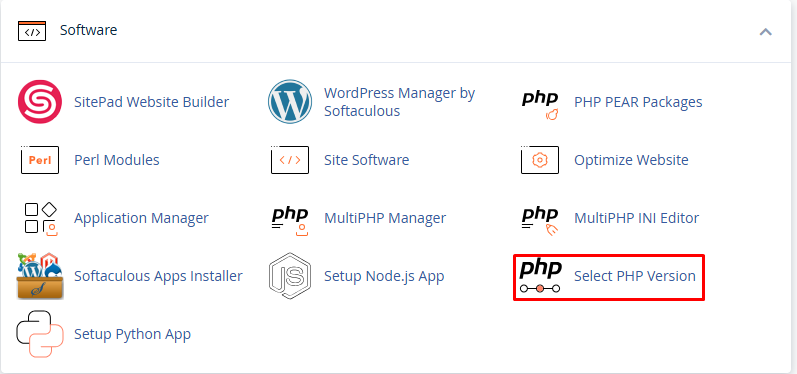
2. Find “Select PHP Version”:
Scroll down to the Software section.
Click on “Select PHP Version” or sometimes it might say “MultiPHP Manager” depending on your hosting provider.
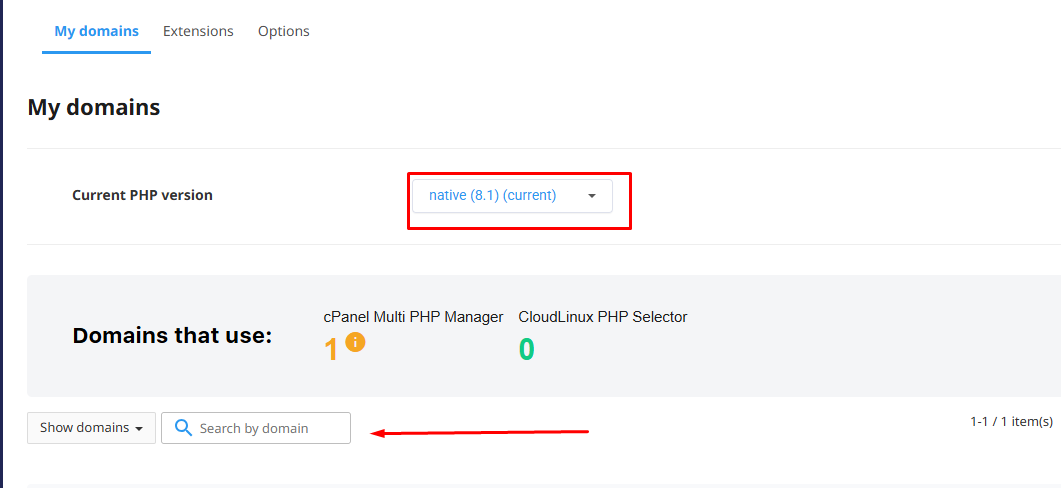
3. Using “Select PHP Version” (common with CloudLinux):
You’ll see the current PHP version at the top.
Click the dropdown to select the version you want (e.g., PHP 8.1, 8.2, etc.).
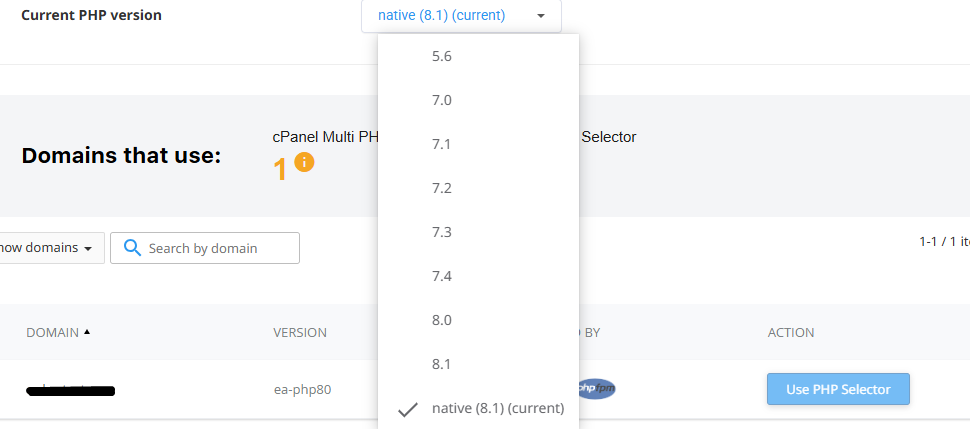
Click “Set as current” to apply it.
You can also enable/disable specific PHP extensions below.
4. Using “MultiPHP Manager” (used by some hosts like Bluehost, HostGator):
You’ll see a list of your domains.
Check the box next to the domain(s) you want to change.
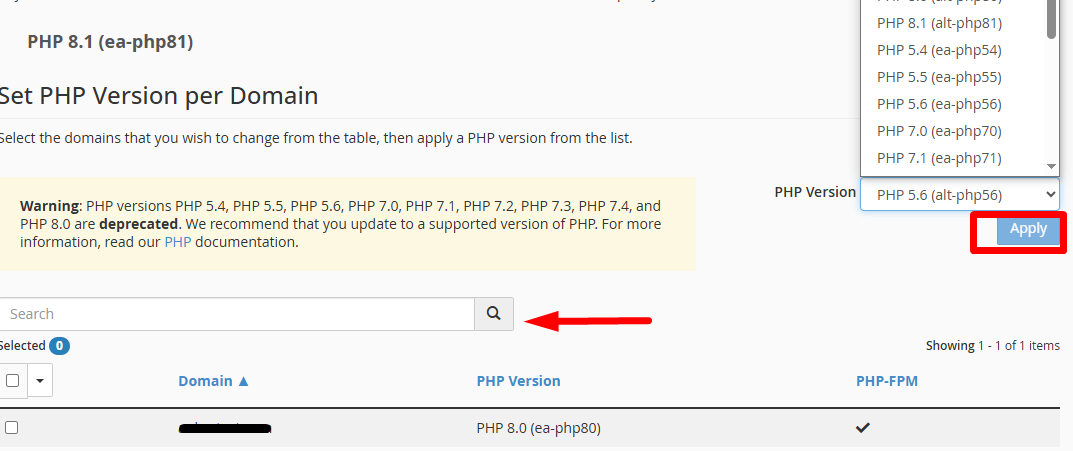
On the right, select the desired PHP version from the dropdown.
Click “Apply”.