

1. Log in to cPanel:
Go to your cPanel login page (typically something like yourdomain.com/cpanel).
Enter your username and password to log in.
2. Find the Language Settings:
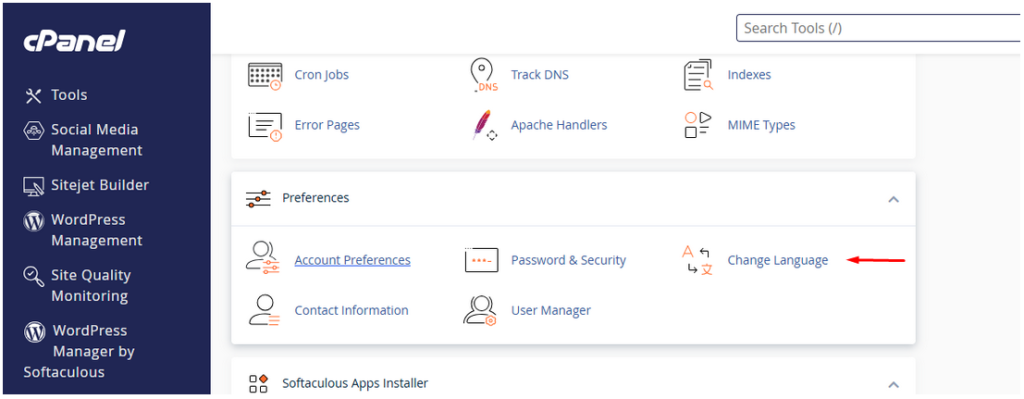
Once logged in, scroll down to the Preferences section on the main dashboard.
Click on Change Language.
3. Select a New Language:
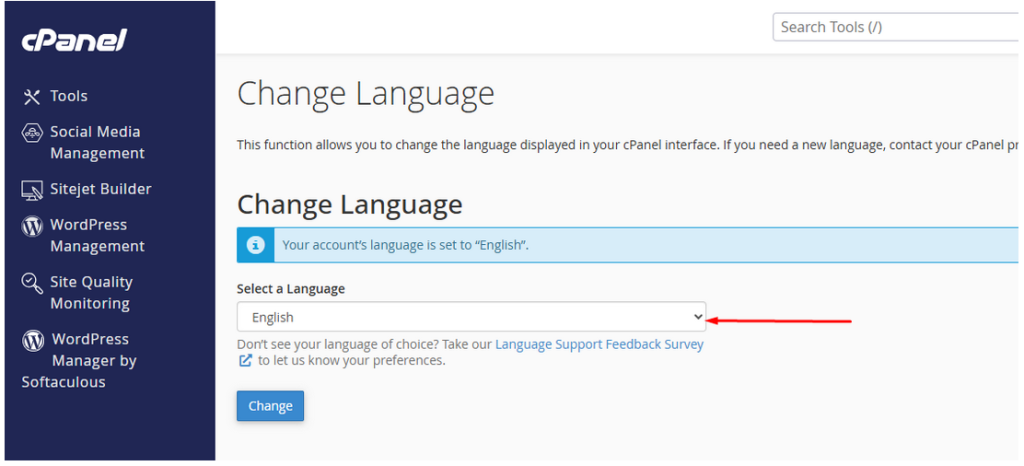
A list of available languages will appear. Select your preferred language from the dropdown list.
You can preview the language by clicking on it.
4. Save Your Selection:
After choosing your language, click on Change to apply the new language settings.
5. Confirmation:
Your cPanel interface should now be in the selected language.