
1. Log in to WHM:
Visit: https://your-server-ip:2087.
Enter your WHM/root login credentials.
2. Search for Manage Shell Access:
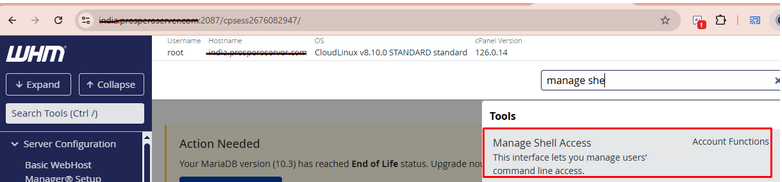
In the left sidebar or top search box, type “Manage Shell Access”.
Click on the “Manage Shell Access” option from the results.
3. Select the cPanel Account:
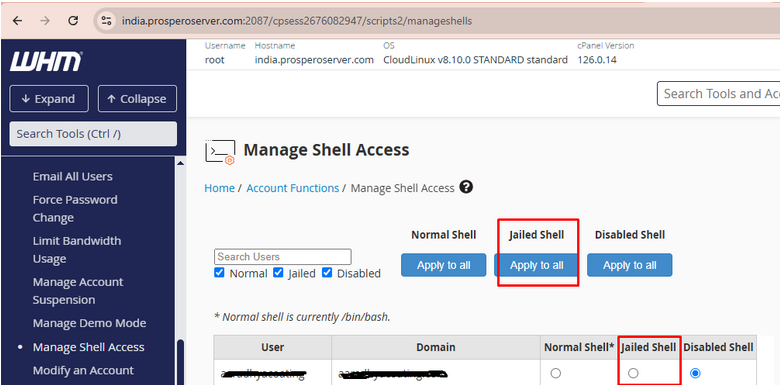
You’ll see a list of accounts and a dropdown menu next to each one under “Shell Access”.
4. Choose the Access Type:
From the drop down, select one of the following:
- Disabled: No SSH access.
- Jailed Shell: Limited/restricted access (recommended for most users).
- Normal Shell: Full SSH access (use with caution).
5. Save the Changes:
After selecting the desired shell type (e.g., Normal Shell), click “Save” at the bottom to apply the changes.