

1. Log in to cPanel:
Open your web browser and visit your cPanel login page. Eg. (yourdomain.com/cpanel)
Enter your username and password to access your hosting dashboard.
2. Navigate to the Domains Section:
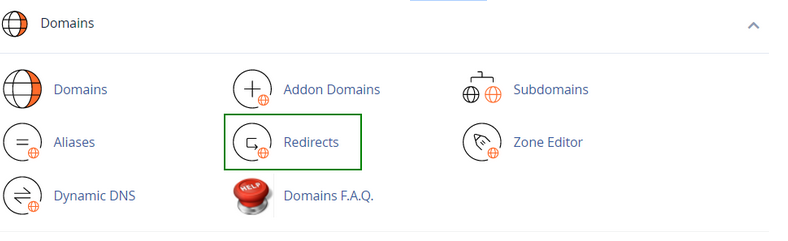
In the cPanel dashboard, locate the Redirects section.
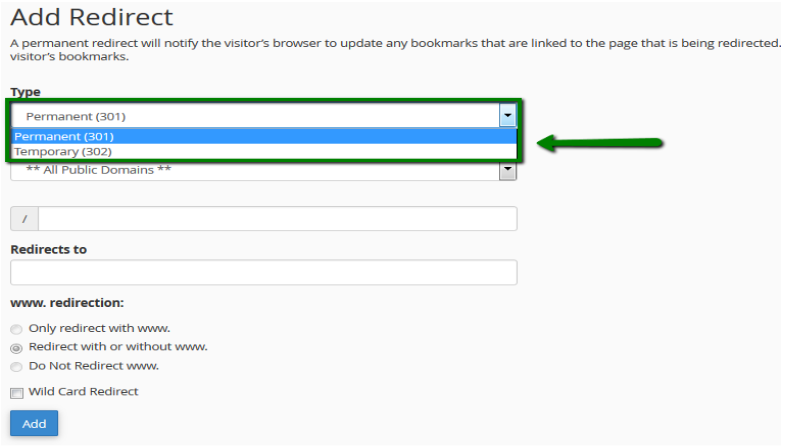
3. Choose the type of redirect you would like to use for your domain:
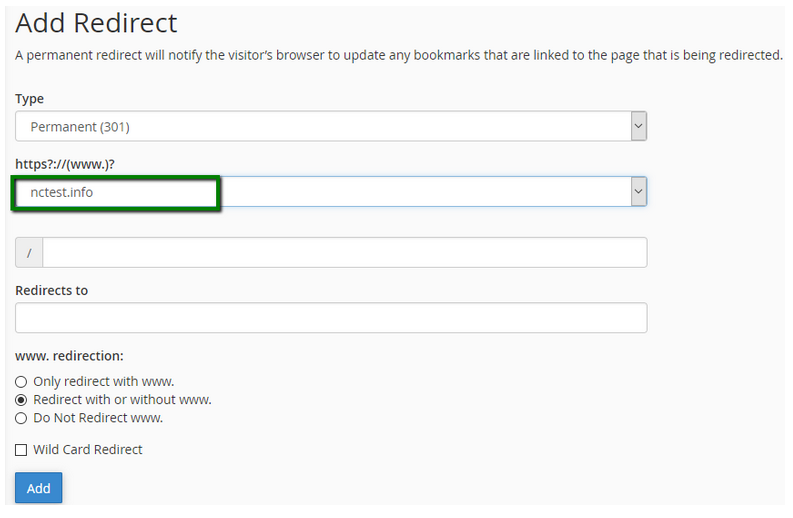
4. From a drop-down menu, choose the domain name you would like to redirect:
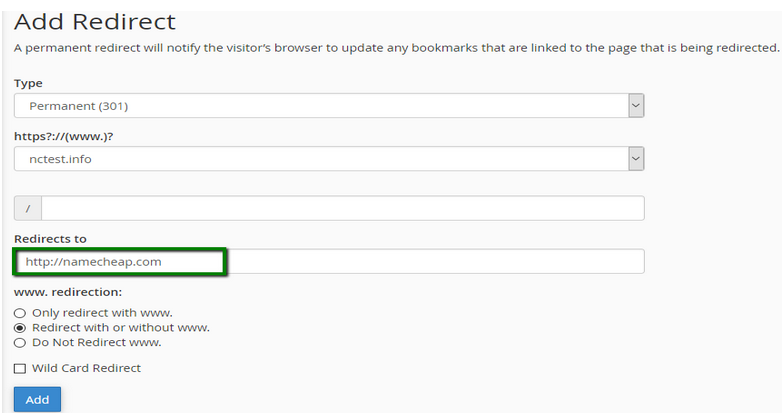
5. Enter the full URL of the page your domain will be redirecting to in the Redirects to field:
NOTE: You need to enter the protocol as well, e.g., http://, https://
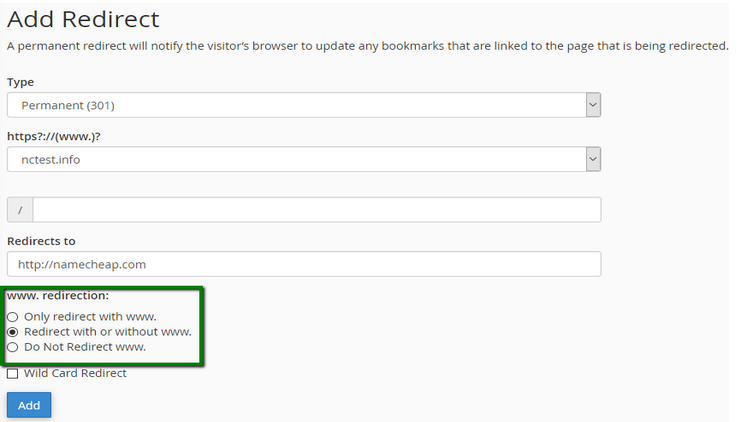
6. Select if you want your domain to redirect with www. or not:
7. Check Wild Card Redirect if you would like all files in the current directory to be redirected to the same files names in the new directory:
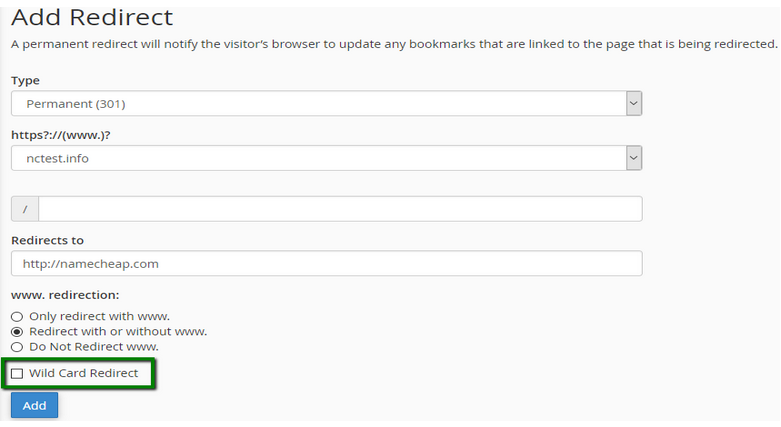
Click on the Add button in order to create the redirect.